Industries
Music and announcements for retail chains
One brand sound across hundreds of stores: music planned around your collection, store concept and time of day, plus promotional announcements and live monitoring from head office.
5.000+
locations playing HYDW
500+
locations on the HYDW Music Box
2011
in audio and broadcasting since
7/24
WhatsApp support line
Why it matters
Music is part of the experience
The same brand experience everywhere
Customers hear the same atmosphere in every store. Staff cannot change the music; the programme is managed centrally.
Campaign periods, planned ahead
Sales week, new season, special days: campaign playlists are scheduled in advance and start automatically at every store on the day.
You hear about a silent store first
If a store’s music stops, the regional manager and head office get a WhatsApp alert, and it is fixed before customers notice.
Smart scheduling
A day in store
- Opening: a calm, welcoming selection while the team gets ready.
- Lunchtime and weekend peaks: the tempo rises and promotional announcements play more often.
- Evening: a programme that matches your collection and brand identity.
- Closing: a “we close in 15 minutes” announcement at the press of a button.
Playlists are scheduled by date, time and weekday; when several apply, the most specific one plays. Transitions are automatic and smooth.
Sample announcements
One touch or text-to-speech
- “The new season has arrived in store”
- “Our tills are now open”
- “Extra discount with your loyalty card”
- “The store will close in 15 minutes”
Reliability
Music that never stops, and an alert the moment it does
Offline playback
Music is downloaded and played locally. Playback continues when the internet drops, and new content downloads in the background once it is back. Damaged or missing files are re-downloaded automatically.
Silence alerts
If a store sends no signal for 30 minutes, or the sound stays muted for 15 minutes, store, regional and brand managers are notified by e-mail and WhatsApp during business hours.
Timestamped report
Every track played at every store is archived daily in a PDF report sealed with a KamuSM qualified timestamp. Download it from the dashboard or request it on WhatsApp.
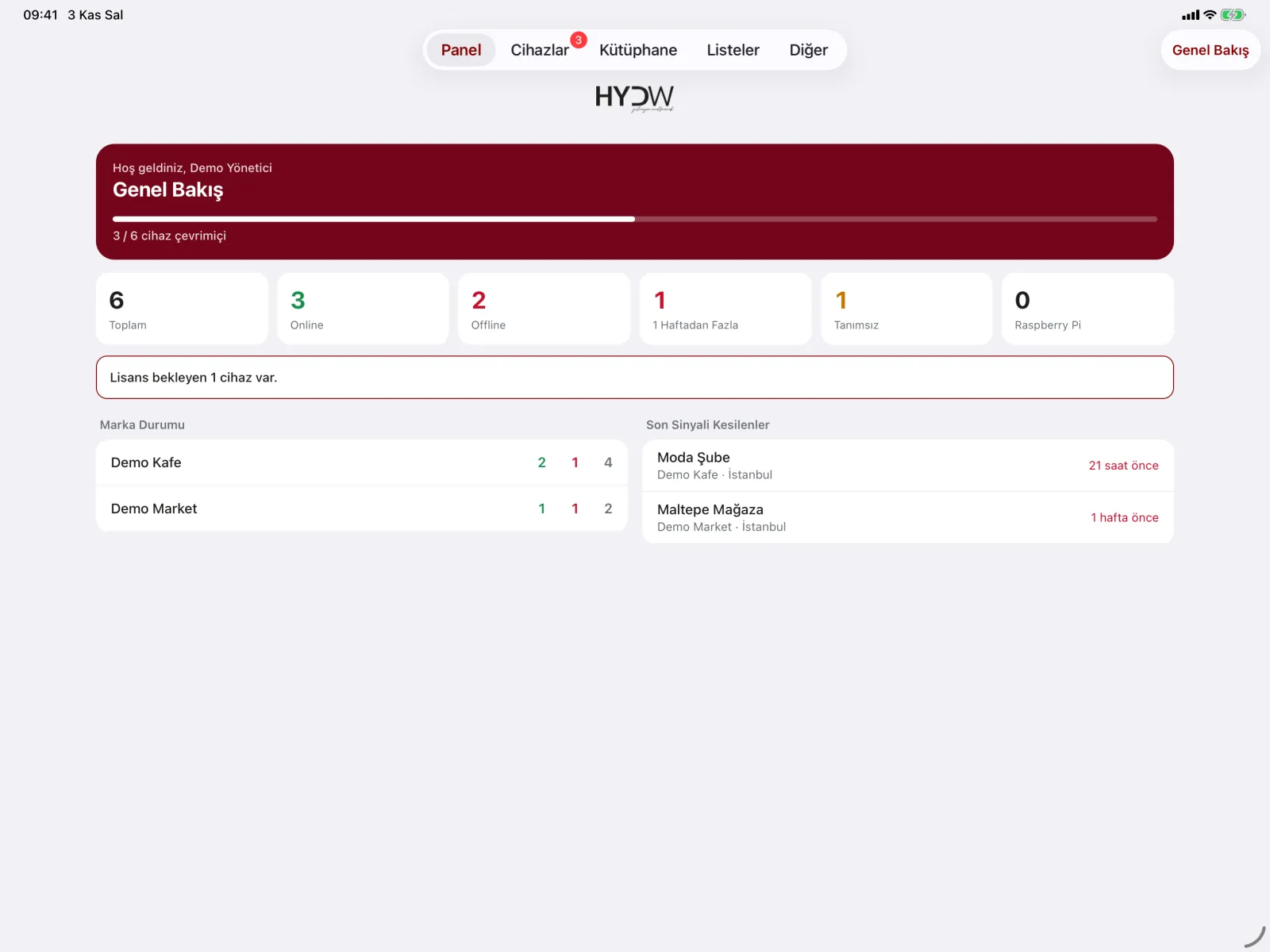
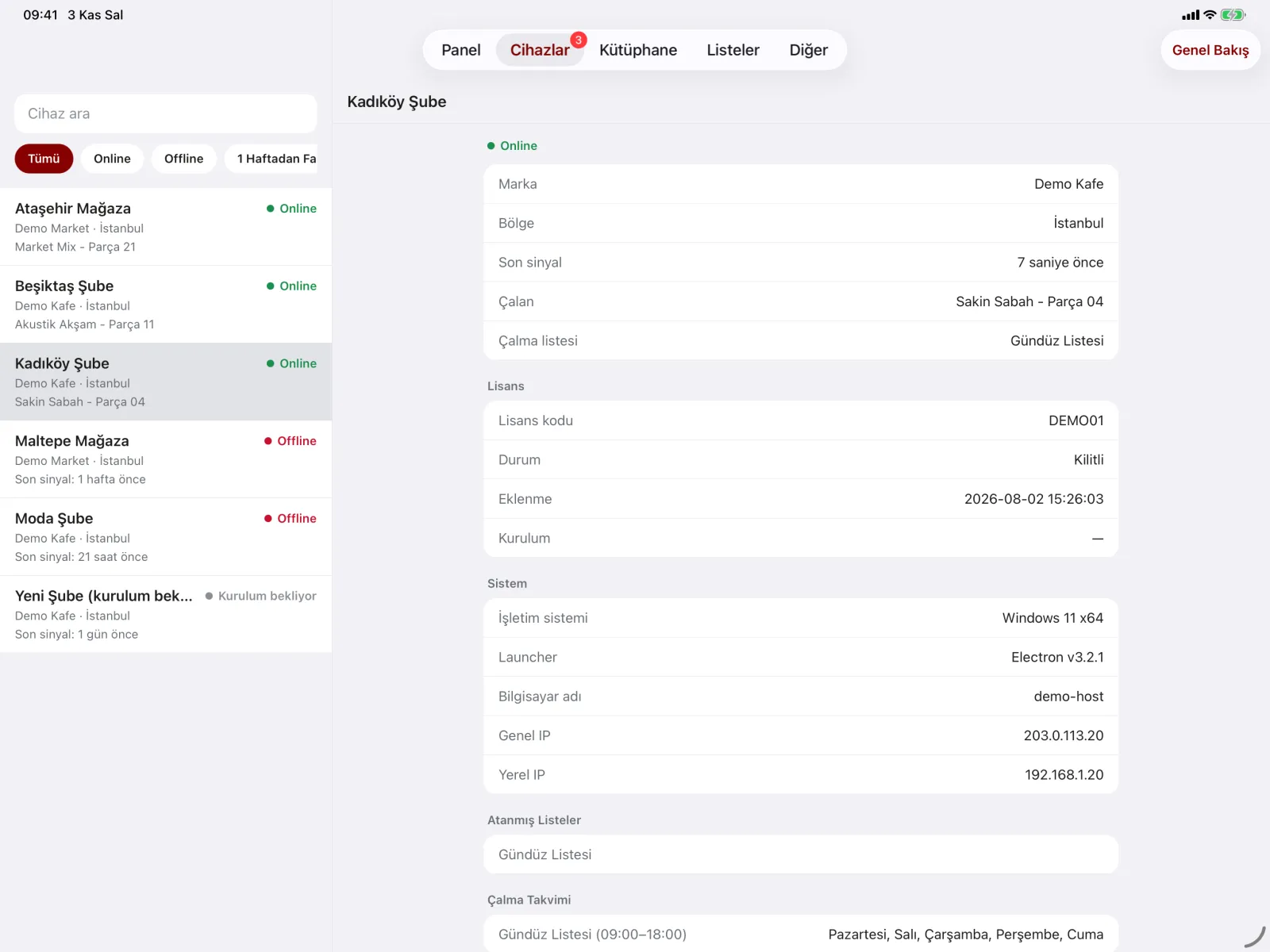
HYDW Music Player Dashboard
Every location on one screen
Manage playback with a brand, region and location hierarchy. Permissions are set by brand and module; alerts go separately to location, regional and brand contacts. On the web or in the iOS / Android management app.
Setup
On air in three steps
- We plan your programme together. We prepare music and announcements to suit your brand, your industry and your opening hours.
- Connect your device. Plug the HYDW Music Box into power, your sound system and the network, or install HYDW Music Player on Windows, macOS, iOS or Android. Pairing with the on-screen code takes a minute.
- Manage from the dashboard. Run playlists, announcements and locations from HYDW Music Player Dashboard on the web or in the mobile app.
Devices
With or without a computer
HYDW Music Box
Shipped fully configured. Power, audio cable and ethernet: plug it in and it plays. Used at 500+ locations.
Windows and macOS
Runs quietly in the system tray, starts with the computer and keeps itself updated. On the Microsoft Store.
iOS, iPadOS and Android
A phone or tablet becomes the store’s music player, and keeps playing with the screen off.
Music and licensing
We bring the music, you choose the model
HYDW original music
Our own, constantly refreshed catalogue produced in-house, with ready programmes for every industry and time of day. You go on air without arranging a separate music agreement.
Licensed popular music
If your brand wants well-known commercial songs, we broker the necessary agreements. The licence is held by your business; we manage the process and the playback.
Frequently asked questions
Common questions
Can each store play different music?
Yes. Playlists can be assigned by brand, region and store; for example, mall branches and high-street stores can play different programmes.
Can store staff change the music?
The player has no local playback controls; the programme is managed centrally. Staff can only use your ready-made announcement buttons (Quick Start).
How do I add a new store?
Connect the device and register the code shown on its screen in the dashboard. Your brand’s default playlists are assigned to the new store automatically.
Other industries
For similar businesses
Supermarkets and Grocery
Promotion and till announcements, music that follows peak hours.
Shopping Malls
Music for common areas, event and closing announcements.
Hair and Beauty Salons
A relaxing, ad-free atmosphere; one standard across a chain.
Try it free for 15 days
Test it in your own venue: we plan your music programme together, connect your device and you play for 15 days at no cost.