Industries
Background music for cafés
The right atmosphere for every hour, from the first coffee to evening conversations. Your baristas never pick playlists; the music changes on its own at the right time.
5.000+
locations playing HYDW
500+
locations on the HYDW Music Box
2011
in audio and broadcasting since
7/24
WhatsApp support line
Why it matters
Music is part of the experience
Guests stay longer
The right tempo and volume make people linger, whether they are working on a laptop or meeting friends.
Staff stay focused on guests
No random phone playlists, no ads, no wrong songs. The programme is planned and runs by itself.
The same café at every branch
When you open a second or third branch your concept stays intact; every branch is managed from the same dashboard.
Smart scheduling
A day at the café
- Morning: acoustic and light jazz for a calm start to breakfast.
- Afternoon: a balanced, unobtrusive selection for people working and chatting.
- Evening: a slightly livelier, social tempo.
- Weekends: a dedicated brunch playlist starts automatically.
Playlists are scheduled by date, time and weekday; when several apply, the most specific one plays. Transitions are automatic and smooth.
Sample announcements
One touch or text-to-speech
- “Today’s dessert is in our display”
- “Your second coffee is on us when you order in our app”
- “The café will close in 30 minutes”
- “Ask at the counter for our Wi-Fi password”
Reliability
Music that never stops, and an alert the moment it does
Offline playback
Music is downloaded and played locally. Playback continues when the internet drops, and new content downloads in the background once it is back. Damaged or missing files are re-downloaded automatically.
Silence alerts
If a store sends no signal for 30 minutes, or the sound stays muted for 15 minutes, store, regional and brand managers are notified by e-mail and WhatsApp during business hours.
Timestamped report
Every track played at every store is archived daily in a PDF report sealed with a KamuSM qualified timestamp. Download it from the dashboard or request it on WhatsApp.
HYDW Music Player Dashboard
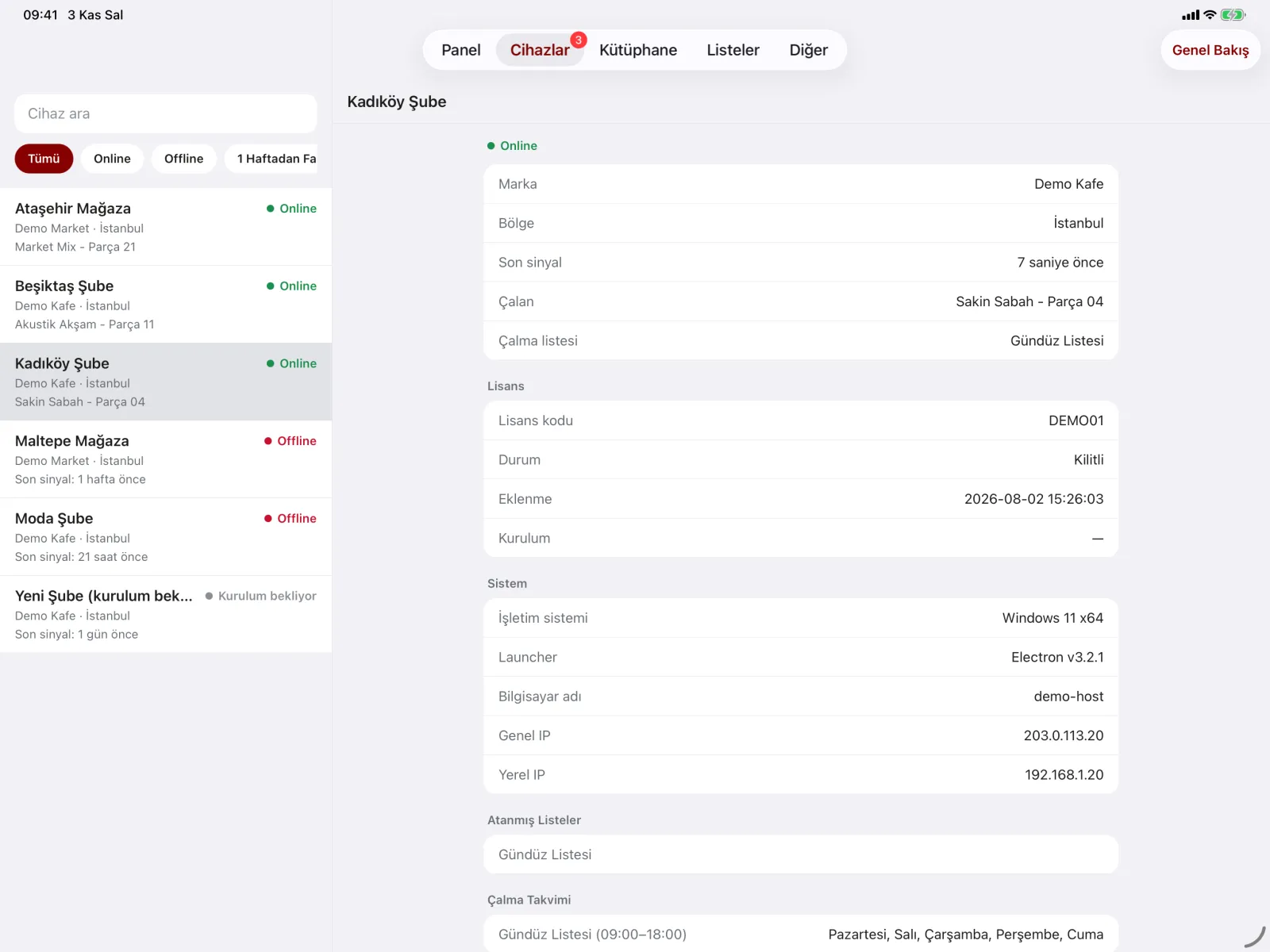
Every location on one screen
Manage playback with a brand, region and location hierarchy. Permissions are set by brand and module; alerts go separately to location, regional and brand contacts. On the web or in the iOS / Android management app.
Setup
On air in three steps
- We plan your programme together. We prepare music and announcements to suit your brand, your industry and your opening hours.
- Connect your device. Plug the HYDW Music Box into power, your sound system and the network, or install HYDW Music Player on Windows, macOS, iOS or Android. Pairing with the on-screen code takes a minute.
- Manage from the dashboard. Run playlists, announcements and locations from HYDW Music Player Dashboard on the web or in the mobile app.
Devices
With or without a computer
HYDW Music Box
Shipped fully configured. Power, audio cable and ethernet: plug it in and it plays. Used at 500+ locations.
Windows and macOS
Runs quietly in the system tray, starts with the computer and keeps itself updated. On the Microsoft Store.
iOS, iPadOS and Android
A phone or tablet becomes the store’s music player, and keeps playing with the screen off.
Music and licensing
We bring the music, you choose the model
HYDW original music
Our own, constantly refreshed catalogue produced in-house, with ready programmes for every industry and time of day. You go on air without arranging a separate music agreement.
Licensed popular music
If your brand wants well-known commercial songs, we broker the necessary agreements. The licence is held by your business; we manage the process and the playback.
Frequently asked questions
Common questions
Is it suitable for a single café?
Yes. Single cafés play with the HYDW Music Box or an existing tablet, and grow on the same dashboard as they open new branches.
Why not just play music from a phone?
Personal music apps are not designed for commercial use. With HYDW the programme is planned, keeps playing offline and everything played is reported.
How do I set the volume?
Volume is set on your venue’s sound system; the dashboard notices if the sound stays muted for long and alerts you.
Other industries
For similar businesses
Restaurants
Programmes that follow service hours, consistent at every branch.
Hotels and Hospitality
Separate programmes for lobby, restaurant, spa and pool, 24/7.
Hair and Beauty Salons
A relaxing, ad-free atmosphere; one standard across a chain.
Try it free for 15 days
Test it in your own venue: we plan your music programme together, connect your device and you play for 15 days at no cost.